
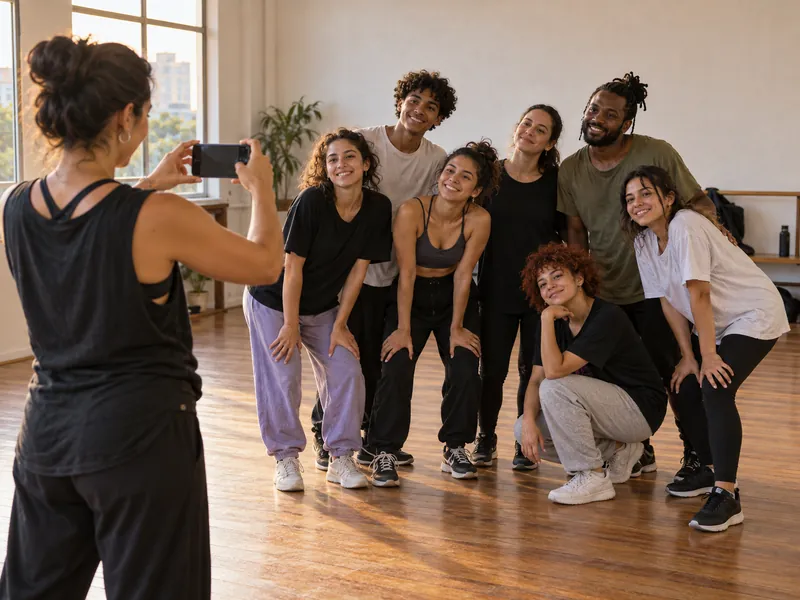
How does a class photo become your attendance register?
Share your registration link so students can enter their name and upload a face photo. Authorize the phone numbers of teachers who will send class photos and check that the timetable reflects the classes you teach.
- At the end of class, gather the dancers for one photo before the next group enters.
- The teacher sends it to the FaceDojo WhatsApp number from their authorized number.
- FaceDojo recognizes registered students and records attendance. The teacher reviews the result and adds any missed students manually.
In a mirrored studio, point the camera at the dancers themselves. Ask everyone to face it and check that nobody is hidden behind another student. Recognition uses faces, so buns and leotards do not get in the way; covered or sideways faces need attention when you review the list.
How do you keep jazz, hip-hop and ballet classes separate?
FaceDojo finds the class in your timetable using the date and time of the photo. If your studio offers more than one dance style, it asks which style was taught. The teacher selects it from the list, so a jazz class followed by contemporary can be reviewed in its own context.
Finish the photo and attendance check while that group is still together. When teachers change between sessions, agree on who sends each photo and make sure both phone numbers are authorized. A shared teaching space does not need to mean a shared paper attendance sheet.
| Record | Question it helps answer |
|---|---|
| Student attendance history | Which classes did this dancer attend during the period? |
| Attendance by class | Who attended this group after the timetable changed? |
| Current and overdue payments | Does the tuition account need a billing conversation? |
Before following up on a missed class, look at the student’s other sessions. They may have changed days or attended another style. Discuss makeup classes with the student under your studio’s policy and check attendance after the agreed session.
What changes for preschool and children’s dance classes?
Arrange registration and guardian permissions with the FaceDojo team before introducing the photo routine. The team guides your studio on children’s images and biometric data. Explain the routine to families and decide which teacher will check each group’s attendance.
Keep preschool, children’s and teen classes clear in your timetable. If a dancer moves to another level or session, check their individual history before interpreting the old class register as a run of absences. The teacher decides which group is appropriate.
How do you separate tuition questions from missed classes?
FaceDojo supports automatic credit-card billing and shows current and overdue payments. The studio owner or administrator can check the student’s account before contacting an adult dancer or a parent about a tuition balance.
A paid account does not show whether a dancer has been attending. Regular attendance does not confirm that tuition has been paid. Review both records, then give the teacher the attendance context and the person handling billing the payment context for their conversation.
When moving away from a spreadsheet, agree on the final tuition period managed there and the first handled in FaceDojo. Keep the earlier records available while checking the transition so a family is not contacted about an already settled balance.
How can attendance history help before recital rehearsals?
FaceDojo alerts you when a student misses more classes than usual. Review their recent attendance before asking what changed. A student may need a different class time or a conversation about returning, even while tuition remains current.
As recital rehearsals approach, teachers can use the class history to identify who missed recent work and discuss the next rehearsal with that dancer or their family. The teaching team plans rehearsals and decides what to revisit with the group.
What does FaceDojo cost for a dance studio?
Monthly plans cost US$ 39 (up to 50 students), US$ 59 (up to 100 students), US$ 79 (up to 150 students), US$ 99 (up to 200 students), US$ 149 (up to 350 students), in US dollars. For more than 350 students, contact our team on WhatsApp. Choose monthly, six-month or annual billing, with the same features in every plan.
The annual plan is charged in a single payment per year, with no installments. The six-month plan is charged in a single payment every 6 months.
Compare FaceDojo plans and billing periods. For a useful trial, send a photo from a class you know, review the recorded names and ask the person managing tuition to check a student’s billing record.